
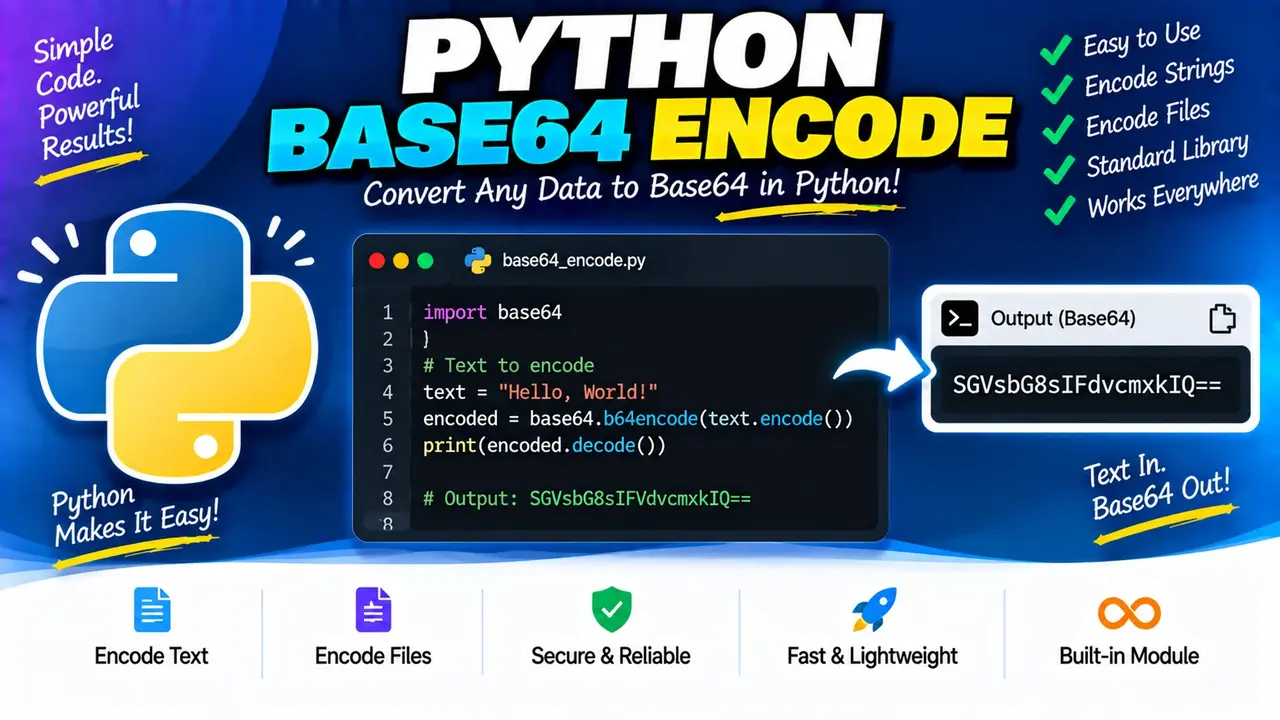
Free Python Base64 Encoder & Decoder Tool
A Free Python Base64 Encoder & Decoder Tool helps users convert text into Base64 strings and decode valid Base64 strings back into their original data using Python-compatible Base64 encoding logic. It is useful for developers, students, API testers, and anyone working with encoded text, data interchange, or Python applications.
Quick answer: Base64 encoding represents binary data using a restricted set of 64 ASCII characters. Python'sbase64module provides functions such asb64encode()andb64decode()to encode bytes and decode Base64 data. Encoding is not encryption and does not protect confidential information.
The tool's primary purpose is to help users understand and perform the two common Base64 operations: encoding and decoding. Encoding converts input data into a Base64 representation; decoding reverses that representation when the input is valid and compatible with the selected Base64 variant. Because the supplied tool details do not specify its exact interface or processing architecture, supported input modes, validation behavior, and privacy characteristics should be confirmed against the live implementation.
How to Use Free Python Base64 Encoder & Decoder Tool?
- Choose an operation: Select Base64 encoding to represent input data as text, or decoding to interpret an existing Base64 string.
- Enter the input: Provide the text or Base64 value you want to process, following the format accepted by the tool.
- Run the conversion: Execute the selected operation and inspect the resulting encoded or decoded value.
- Verify the result: Check the output before using it in Python code, an API request, or another application.
For Python's standard library, text is first converted into bytes before encoding. When decoding text back into a string, the resulting bytes must be interpreted using the correct character encoding, commonly UTF-8. This distinction matters because Base64 operates on bytes, not directly on human-language characters.
Input and Output Example
Consider the text Hello, Python!. Its UTF-8 bytes can be encoded as a Base64 string using Python's standard library.
Encoding example
import base64

text = "Hello, Python!"
encoded = base64.b64encode(text.encode("utf-8")).decode("ascii")

print(encoded)
Expected output:
SGVsbG8sIFB5dGhvbiE=Decoding example
import base64

encoded = "SGVsbG8sIFB5dGhvbiE="
decoded = base64.b64decode(encoded).decode("utf-8")

print(decoded)
Expected output:
Hello, Python!These examples demonstrate Python's standard base64 library. The examples describe expected Python behavior; they do not establish that the live web tool uses the same implementation internally.
Base64 Reference Table
Base64 encodes groups of three input bytes into groups of four output characters. Padding with the equals sign (=) may appear at the end when the input length is not divisible by three.
| Input bytes | Encoded output | Padding |
|---|---|---|
Man |
TWFu |
None |
Ma |
TWE= |
One = |
M |
TQ== |
Two = characters |
| Empty input | Empty Base64 output | None |
The table illustrates standard Base64 results for ASCII input, which has the same byte values when represented as ASCII or UTF-8. Other Unicode text must be encoded into bytes before Base64 conversion.
How Python Base64 Encoding Works
Python's standard base64 module provides a convenient interface to Base64 transformations. For ordinary text, the typical encoding sequence is:
- Convert the string to bytes using an explicit character encoding such as UTF-8.
- Pass the bytes to
base64.b64encode(). - Convert the returned ASCII bytes to a string if a text representation is required.
The reverse sequence passes the Base64 text to base64.b64decode(), obtains the original bytes, and decodes those bytes with the appropriate character encoding when they represent text.
Base64 changes representation, not meaning. It does not compress the data, authenticate the sender, or provide confidentiality. Encoded output is typically longer than the original input because three input bytes are represented by four Base64 characters, excluding any final padding effects.
Standard Base64 and URL-Safe Base64
Python supports standard Base64 and a URL-safe variant. Standard Base64 uses + and / among its alphabet characters. URL-safe Base64 substitutes - and _ for those two characters, making the representation more suitable for contexts where the standard characters may have special meaning.
| Python function | Purpose | Important distinction |
|---|---|---|
base64.b64encode(data) |
Encode bytes with standard Base64 | Uses + and / |
base64.b64decode(data) |
Decode standard Base64 | Input should use the standard Base64 representation |
base64.urlsafe_b64encode(data) |
Encode bytes with URL-safe Base64 | Uses - and _ instead |
base64.urlsafe_b64decode(data) |
Decode URL-safe Base64 | Designed for the URL-safe alphabet |
Do not assume that a web tool supports both variants unless its interface explicitly offers that option. The appropriate variant depends on the format expected by the receiving application or protocol.
Edge Cases and Limitations
- Invalid input: Malformed Base64 strings may cause decoding errors or be handled differently depending on the decoder's validation settings.
- Padding: Standard Base64 output may end with one or two equals signs. Some systems accept omitted padding, while others require correctly padded input.
- Unicode text: Base64 decoding returns bytes. Interpreting those bytes as text requires the correct character encoding.
- Binary data: Decoded bytes may represent an image, document, or other binary content rather than readable text.
- Large inputs: Encoding expands data, and the actual web tool may have input-size or output-size constraints that are not specified here.
- Whitespace: Some decoders tolerate whitespace in encoded input, while strict validation may reject unexpected characters.
- Security: Base64 is reversible encoding, not encryption. Never treat a Base64 string as proof that its contents are secret.
Technical Accuracy and Privacy Considerations
Python's standard-library documentation is the primary reference for the behavior of base64.b64encode(), base64.b64decode(), and their URL-safe counterparts. Refer to the official Python Base64 documentation for function details and decoder behavior.
For character conversion, the Python documentation for string encoding explains how strings are converted to bytes. Always select the encoding expected by the application receiving the decoded result.
Privacy note: The supplied information does not establish whether this web tool processes data locally or sends input to a remote service. Avoid entering passwords, access tokens, private keys, or other sensitive material unless the tool's data-handling behavior has been verified.
Technical limitation: Base64 decoding alone cannot determine whether the decoded data is safe, authentic, or valid for a particular application. Validate decoded content according to its intended format and use case.
Author
Author Name: Michael Turner
Author Description: Software Developer specializing in Python programming, data encoding, and developer utilities.
Technical Review: This content explains Python's documented Base64 encoding and decoding workflow, byte-to-text conversion, URL-safe Base64 distinctions, and common input-validation considerations. The live tool's implementation-specific behavior should be reviewed separately.
