
Nginx Reverse Proxy Generator - Nginx Config Builder
Generate Nginx reverse proxy configs for web apps, map hosts to upstream services, and review proxy directives before deployment. Start with a clear config.
Start from a known-good baseline. Presets fill the same model as manual input.
Domain, ports and backend pool. Minimal input stays minimal in the output.
Single DNS name for server server_name. Wildcard only as leftmost label.
Upstream TLS directives are only emitted for HTTPS upstreams.
Certificate paths must exist on the target server — the generator never touches your filesystem.
HSTS warning: only enable after HTTPS is confirmed working — bad HSTS deployment can block future HTTP access to the domain.
Directives land in location scope. Trailing slash changes URI rewriting.
proxy_pass http://backend; passes the original URI unchanged. With a trailing slash the matched prefix is replaced — different rewriting behavior.
Advanced options
# Press “Generate configuration”.
Private by default — generation runs in your browser; the PHP API only validates when reachable. Never executes shell commands. Confirm paths and nginx -t on the target server.
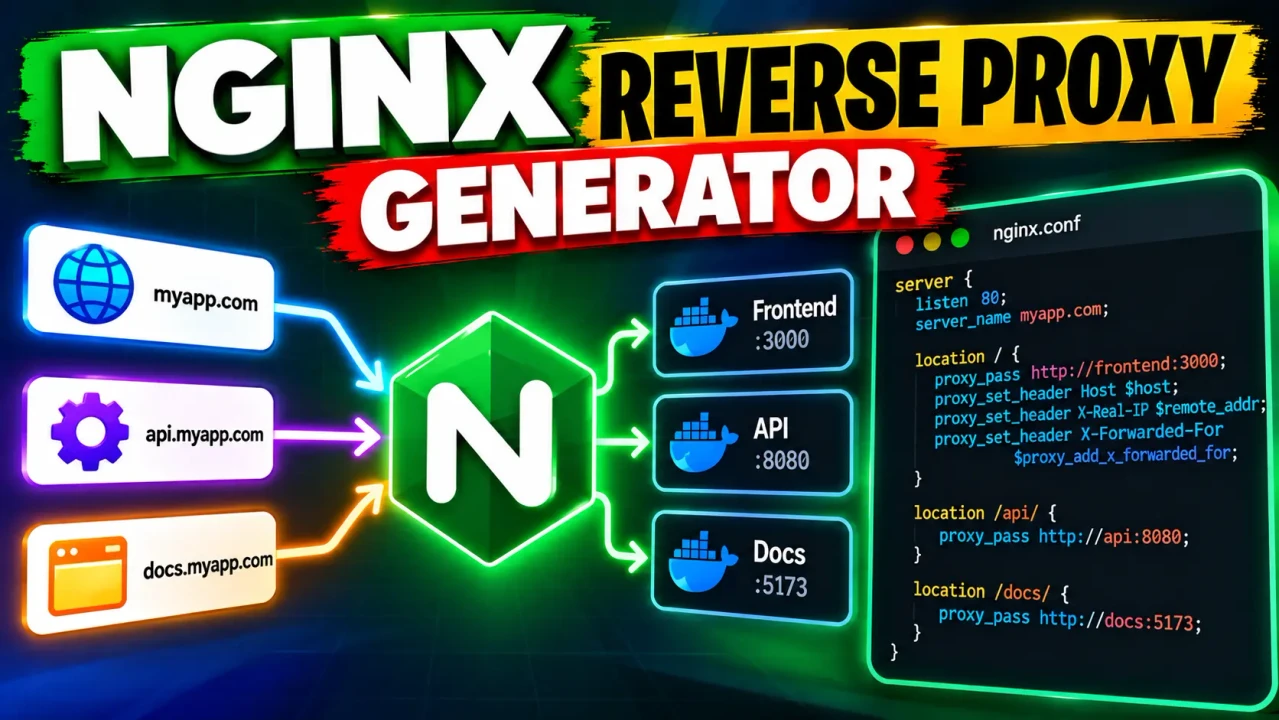
Nginx Reverse Proxy Generator
Quick answer: The Nginx Reverse Proxy Generator is a developer utility for creating Nginx reverse-proxy configuration from common routing requirements. It helps turn a public hostname, backend destination, proxy path, and related directive choices into an Nginx server-block starting point for modern web applications.
A reverse proxy sits between a client and an upstream application. Nginx receives the incoming request, selects the appropriate server and location context, forwards the request to an upstream service, receives the response, and returns it to the client. The Nginx proxy_pass directive defines the proxied destination, while proxy_set_header can control which request headers are sent upstream.
The Nginx Reverse Proxy Generator is useful when an application such as an API, dashboard, web service, or internally hosted application is already listening on an upstream address and you need a clear configuration starting point in front of it. A representative setup might map api.example.com to http://127.0.0.1:3000 under the root path.
TL;DR / Key Takeaways
- Primary Function: Generate an Nginx reverse-proxy configuration starting point.
- Key Inputs: Public host, upstream destination, routing path, and relevant proxy options exposed by the tool.
- Core Output: Nginx configuration syntax built around
server,location,proxy_pass, and related directives. - Best Suited For: Developers and infrastructure engineers configuring Nginx in front of web applications and APIs.
How to Use Nginx Reverse Proxy Generator?
Start by identifying the hostname that should receive the public request and the upstream service that should receive the proxied traffic. For example, a web application might be publicly reachable at api.example.com while the application itself listens on 127.0.0.1:3000.
Next, set the routing path used by the application. A root location such as / is common, but path-aware deployments may use a more specific location. This matters because Nginx handles the request URI differently depending on whether proxy_pass contains its own URI component. When a URI is included in proxy_pass, Nginx can replace the portion of the normalized request URI matched by the location; without a URI, the request URI is passed through in the corresponding form described by Nginx's proxy module documentation.
Header forwarding is another important part of a reverse-proxy configuration. Nginx changes the default handling of fields such as Host and Connection when proxying. Explicit directives such as proxy_set_header Host $host; can preserve the original request hostname, while X-Real-IP, X-Forwarded-For, and X-Forwarded-Proto can carry client and scheme information to applications that rely on forwarded request metadata.
Input and Output Example
Representative input:
Public host: api.example.com
Upstream: http://127.0.0.1:3000
Location: /
Forward client/protocol headers: enabled
Representative generated configuration:
server {
    listen 80;
    server_name api.example.com;

    location / {
        proxy_pass http://127.0.0.1:3000;

        proxy_set_header Host $host;
        proxy_set_header X-Real-IP $remote_addr;
        proxy_set_header X-Forwarded-For $proxy_add_x_forwarded_for;
        proxy_set_header X-Forwarded-Proto $scheme;
    }
}
This example illustrates the core relationship: the public hostname is matched by server_name, requests under location / are forwarded by proxy_pass, and selected headers communicate the original request context to the upstream service.
Nginx Reverse Proxy Directive Reference
| Directive | Role | Typical Value | Important Detail |
|---|---|---|---|
server_name |
Matches the requested hostname | api.example.com |
Determines which server block handles the request. |
listen |
Defines the listening address or port | 80 |
Controls where Nginx accepts incoming traffic. |
location |
Matches request paths | / |
Determines which proxy rules apply. |
proxy_pass |
Sets the upstream destination | http://127.0.0.1:3000 |
URI inclusion changes how the request path is mapped. |
proxy_set_header Host |
Controls the upstream Host header | $host |
Useful when the upstream application needs the original hostname. |
proxy_set_header X-Real-IP |
Passes the client address | $remote_addr |
Provides the address Nginx observed for the client connection. |
proxy_set_header X-Forwarded-For |
Maintains forwarded client IP information | $proxy_add_x_forwarded_for |
Appends the current client address to the forwarded chain. |
proxy_set_header X-Forwarded-Proto |
Passes the original request scheme | $scheme |
Lets the upstream distinguish HTTP from HTTPS at the proxy boundary. |
How the Configuration Works
The generated configuration follows Nginx's normal reverse-proxy model. The incoming request first reaches the server context selected by the hostname and listening configuration. A matching location then determines which proxy rule handles the path. proxy_pass sends the request to the configured upstream, and the resulting response is returned through Nginx to the client.
The exact URI behavior deserves attention. For example, a block using location /api/ together with proxy_pass http://127.0.0.1:3000/backend/; does not behave the same way as proxy_pass http://127.0.0.1:3000;. The presence of a URI in proxy_pass affects the portion of the request URI that Nginx replaces when forwarding the request.
NGINX also buffers proxied responses by default. Settings such as proxy_buffering, proxy_buffers, and proxy_buffer_size control that behavior. For special workloads, such as interactive streaming responses, the surrounding configuration may need additional tuning beyond a basic generated server block.
Edge Cases and Limitations
- URI mapping: Adding or removing a trailing URI from
proxy_passcan change the upstream request path. Test path-sensitive applications carefully. - Forwarded headers: Header behavior is part of the proxy contract. Applications should be configured to trust forwarded headers only when the deployment architecture makes that trust appropriate.
- WebSockets: WebSocket proxying requires additional configuration compared with a basic HTTP reverse proxy. Do not assume a generic server block automatically handles every WebSocket deployment.
- HTTPS upstreams: Sending traffic from Nginx to an HTTPS upstream can require additional TLS-related configuration. A basic
proxy_passexample should not be treated as proof that upstream certificate validation or mutual TLS has been configured. - Deployment context: Generated text does not verify that DNS, firewall rules, certificates, upstream services, ports, permissions, or the surrounding Nginx configuration are correct.
- Validation: Before reloading Nginx, validate the resulting configuration with
nginx -tin the target environment.
Processing note: The supplied ToolHox information identifies this as an online Nginx reverse-proxy configuration generator, but it does not document a client-side execution guarantee, storage policy, or exact processing architecture. This page therefore does not make browser-only, zero-storage, or zero-upload claims.
Technical note: Generated configuration should be reviewed against the actual Nginx version, enabled modules, application requirements, and deployment topology before production use.
Author and Technical Review
Author Name: Daniel Carter
Author Description: Cloud infrastructure engineer specializing in Nginx configuration, Linux web servers, reverse proxies, and application delivery.
Technical Review: The guidance emphasizes the Nginx reverse-proxy directive relationships most relevant to generated server blocks, including proxy_pass, forwarded headers, URI mapping, buffering considerations, and configuration validation.
Authoritative references: NGINX Reverse Proxy documentation and the official ngx_http_proxy_module reference.
