
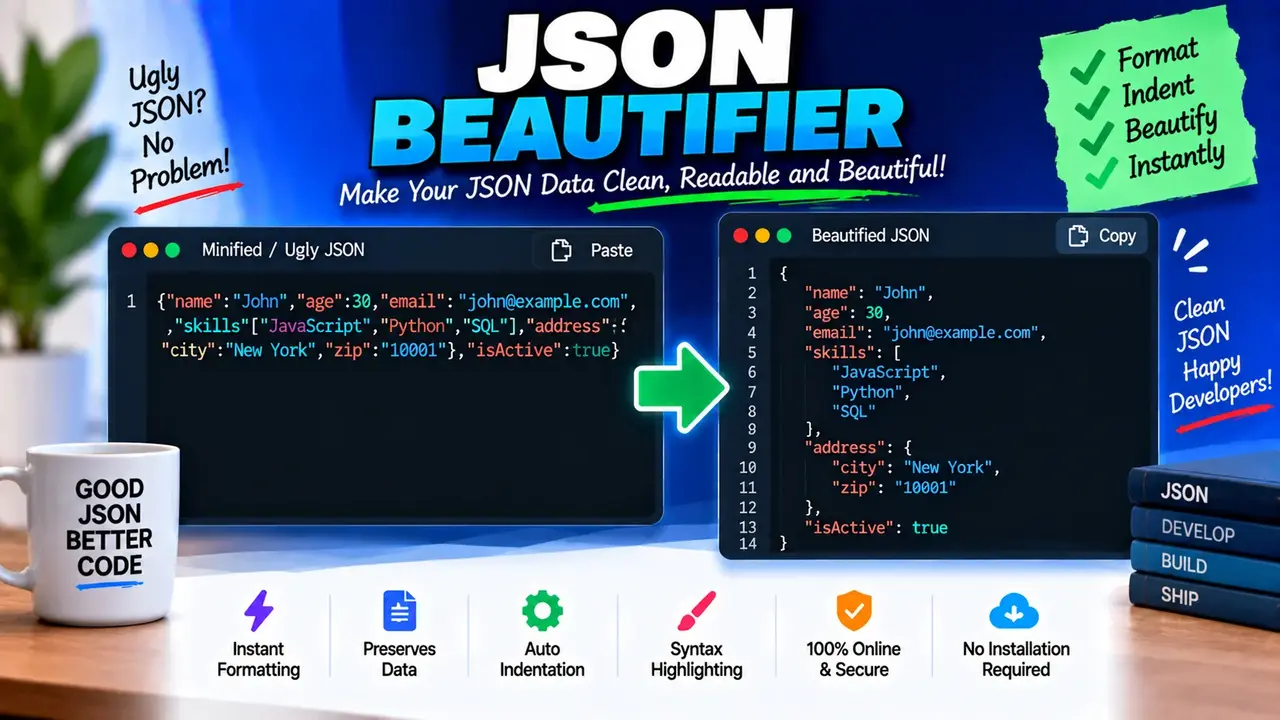
Best Online Json Beautifier - Format & Prettify Code
Quick answer: Best Online Json Beautifier - Format & Prettify Code is a JSON formatting utility designed to turn compact or inconsistently spaced JSON text into a more readable, consistently indented structure. It is intended for developers, data analysts, API testers, and anyone who needs to inspect or edit JSON data.
JSON (JavaScript Object Notation) represents structured data using objects, arrays, strings, numbers, booleans, and null values. Although JSON can be written on a single line, compact formatting makes deeply nested objects and large API responses harder to inspect. A JSON beautifier improves readability by adding indentation and line breaks while preserving the underlying data structure.
Use this tool when you need to examine API responses, review configuration files, troubleshoot nested data, prepare sample payloads, or make JSON easier to maintain. Beautifying JSON changes its presentation, not its intended data values. It is different from converting JSON into another format or minifying an already formatted document.
What Does a JSON Beautifier Do?
A JSON beautifier parses or processes JSON text and presents its structural elements with readable spacing. Objects are displayed across multiple lines, array elements can be separated visually, and nested values are indented to show their relationships.
- Objects: Organizes key-value pairs between curly braces.
- Arrays: Makes ordered elements between square brackets easier to inspect.
- Strings: Retains quoted text and escaped characters as represented by valid JSON.
- Numbers: Preserves numeric values without converting them into descriptive text.
- Booleans and null: Retains the JSON literals
true,false, andnull. - Nested data: Uses indentation to reveal parent-child relationships between objects and arrays.
How to Use Best Online Json Beautifier - Format & Prettify Code?
- Enter JSON: Paste your JSON text into the input editor. You can start with an API response, a configuration object, or a small example.
- Format the data: Run the beautification action provided by the tool. If indentation settings are available, choose the spacing that suits your preferred style.
- Inspect the result: Review the formatted structure and check any parsing errors reported by the tool.
- Copy the output: Use the available copy or export controls if provided, then paste the formatted JSON into your editor, documentation, or development workflow.
The exact editor controls, indentation options, error messages, and export behavior depend on the implemented tool interface. This description does not assume unsupported upload, download, or configuration features.
JSON Input and Output Example
Consider a compact JSON response containing a user profile, account status, and a list of permissions. The input is valid JSON, but the single-line layout makes individual fields difficult to locate.
Input — compact JSON:
{"user":{"id":1042,"name":"Maya Patel","active":true},"roles":["editor","reviewer"],"preferences":{"theme":"dark","notifications":null}}Expected output — beautified JSON with two-space indentation:
{
  "user": {
    "id": 1042,
    "name": "Maya Patel",
    "active": true
  },
  "roles": [
    "editor",
    "reviewer"
  ],
  "preferences": {
    "theme": "dark",
    "notifications": null
  }
}
The example illustrates a conventional pretty-printing result. The object still contains the same fields, the array retains its element order, the boolean remains a boolean, and the null value remains null. Only whitespace used to present the structure has changed.
JSON Beautifier Formatting Reference
JSON formatting follows the structure defined by the JSON data-interchange format. The following reference explains how common JSON constructs appear in readable output.
| JSON construct | Syntax example | Formatting behavior |
|---|---|---|
| Object | {"name":"Maya"} |
Places key-value pairs on readable lines and indents their contents. |
| Array | ["red","green"] |
Separates elements visually while preserving their order. |
| Nested object | {"user":{"id":7}} |
Uses additional indentation to show the nested object's level. |
| String | "message":"Hello" |
Retains double-quoted string syntax and the represented text. |
| Number | "count":12 |
Retains a numeric JSON value rather than converting it to a string. |
| Boolean | "enabled":false |
Preserves the lowercase JSON literal. |
| Null | "result":null |
Preserves the explicit absence-of-value literal. |
| Empty object or array | {"meta":{},"items":[]} |
Can remain compact because each container has no elements. |
How JSON Beautification Works
Pretty-printing generally involves reading the JSON input, recognizing its syntactic structure, and generating a formatted representation with indentation and line breaks. A standards-compliant parser can identify malformed JSON before formatting it. The precise parsing and error-handling behavior of this particular implementation has not been independently established.
For valid JSON, formatting should preserve the represented values and array ordering. Object key order is not generally guaranteed to have semantic significance by the JSON data model, even though many applications preserve the input order when printing. Whitespace outside strings is insignificant to JSON parsing, whereas whitespace inside string values can be meaningful and must not be casually removed or rewritten.
Invalid JSON and Common Formatting Problems
A beautifier cannot reliably format malformed JSON as valid JSON without additional repair logic. If input fails to parse, inspect the source rather than assuming that indentation alone will resolve the issue.
- Single-quoted strings: JSON strings must use double quotation marks.
- Trailing commas: A comma immediately before a closing object brace or array bracket is not valid standard JSON.
- Unquoted keys: Object property names must be strings enclosed in double quotes.
- Missing separators: Object key-value pairs require a colon, and successive members require commas.
- Comments: Standard JSON does not allow JavaScript-style line or block comments.
- Unescaped control characters: Certain characters inside strings must be escaped correctly.
- Truncated input: Missing closing braces, brackets, or quotation marks can prevent successful parsing.
For example, {"status":"ok",} is invalid standard JSON because it has a trailing comma. The corresponding valid form is {"status":"ok"}. A formatter may report a parsing error, but automatic correction should not be assumed unless the tool explicitly provides that capability.
Technical Limitations and Data Handling
Formatting and validation are separate operations. A JSON document may be syntactically valid while still containing missing application-specific fields, an unexpected data type, an invalid identifier, or values that fail an API's business rules. A beautifier alone does not establish that a payload conforms to a particular API schema.
- Large documents: Very large or deeply nested JSON can be difficult to inspect and may require substantial editor or parser resources. No specific size limit is established for this tool.
- Numeric precision: JSON syntax permits numbers, but downstream software may handle extremely large integers or high-precision decimals differently. Review precision-sensitive values before passing them through other tools.
- Duplicate object keys: Duplicate names can lead to inconsistent handling across parsers and should be reviewed instead of relying on a particular interpretation.
- Comments and extensions: JSON-like formats such as JSONC or JSON5 may support syntax that standard JSON rejects. Support for those extensions is not confirmed here.
- Semantic changes: Formatting should not be confused with sorting keys, changing values, normalizing application data, or repairing malformed content.
Privacy note: The processing location, network behavior, logging policy, and storage practices of this specific implementation have not been verified. Avoid entering passwords, access tokens, private customer information, or other sensitive payloads unless you have confirmed the tool's data-handling practices.
Standards and Technical References
For authoritative guidance, consult the RFC 8259 JSON specification, which defines JSON syntax and data types, and ECMA-404, which specifies the JSON data interchange syntax.
Frequently Asked Questions
Does beautifying JSON change the data?
Proper pretty-printing changes whitespace and layout, not the represented values. Check any additional transformations separately.
Can this tool fix invalid JSON?
Automatic repair is not confirmed. Correct invalid quotes, commas, separators, or missing delimiters before trying to format the input again.
Is JSON the same as a JavaScript object?
No. JSON is a text-based data format with stricter syntax, including double-quoted strings and property names and no comments.
Technical Review: The content describes standard JSON syntax, pretty-printing behavior, and common parsing issues. Tool-specific processing, privacy, and implementation capabilities should be verified against the deployed application before publication.
Author Name: Jordan Mitchell
Author Description: Software Developer specializing in structured data, web APIs, and developer tooling.
