
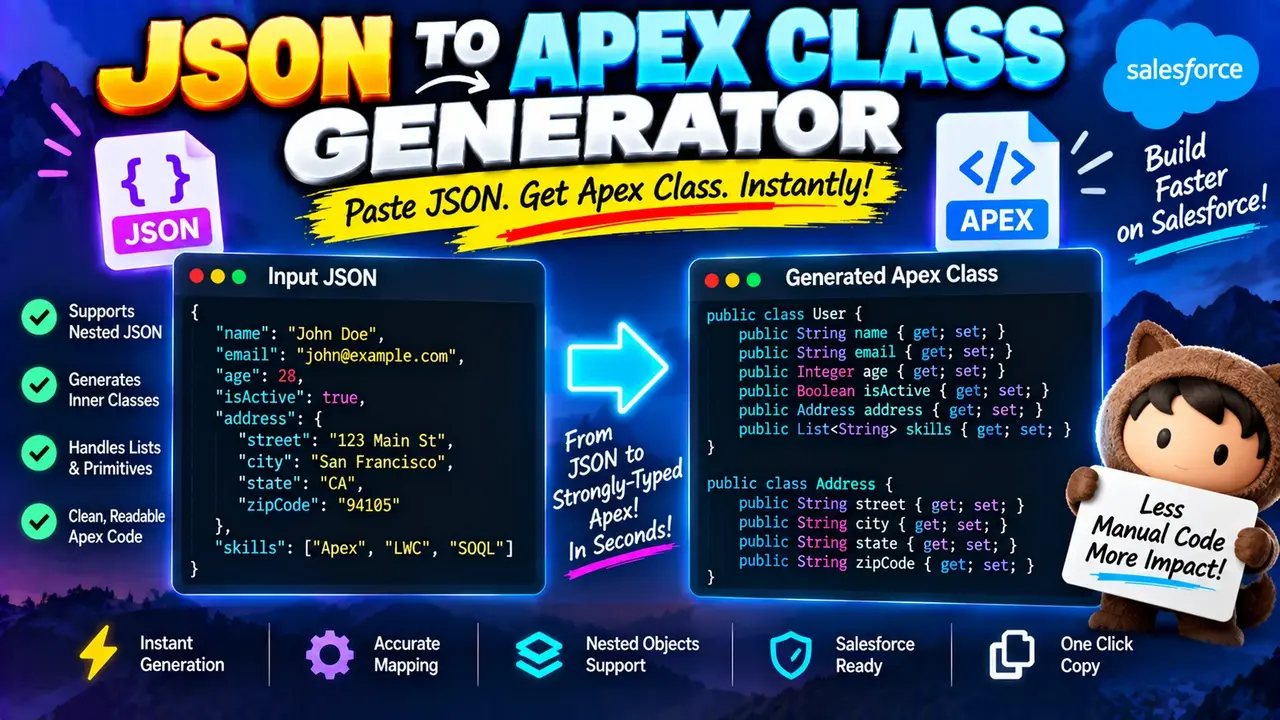
Json To Apex Class Generator - Fast & Accurate
Quick answer: Json To Apex Class Generator - Fast & Accurate is a developer utility intended to convert JSON data structures into Salesforce Apex class definitions. It helps Salesforce developers create model classes for parsing JSON API responses, integrating external services, and handling structured data in Apex. The exact supported options and transformation behavior depend on the tool's implementation.
Salesforce Apex uses classes, properties, and typed variables to represent structured data. When an external REST API returns JSON, developers often need Apex classes that correspond to the response fields so the data can be deserialized into usable Apex objects. Writing these classes manually can become repetitive when a response contains nested objects, arrays, nullable values, or many fields.
The Json To Apex Class Generator - Fast & Accurate is designed for this JSON-to-Apex workflow. The intended input is a JSON document, typically an API response or representative sample payload. The intended output is Apex class source code that reflects the JSON structure. Generated code should be reviewed against the actual API contract and the requirements of the Salesforce org before deployment.
Why Convert JSON into Apex Classes?
- API integrations: Create a starting point for classes that represent REST API request or response bodies.
- Nested response data: Model JSON objects containing other objects and arrays.
- Typed deserialization: Prepare classes for use with Apex JSON deserialization methods.
- Maintainability: Give developers a structured starting point for representing external data in Salesforce code.
- Development efficiency: Reduce repetitive class-definition work for complex sample payloads.
TL;DR / Key Takeaways
- Primary Function: Generate Apex class definitions from JSON structures.
- Input: A valid JSON object or representative API payload.
- Expected Output: Apex source code representing the input data structure.
- Best Suited For: Salesforce developers building JSON-based API integrations.
- Important Check: Validate generated types, field names, nested classes, and deserialization behavior before production use.
How to Use Json To Apex Class Generator - Fast & Accurate?
- Prepare representative JSON. Copy a valid JSON response from the API you intend to integrate. Include realistic values and representative nested structures.
- Enter the JSON input. Paste the sample into the tool's input area. The exact controls and configuration options depend on the live implementation.
- Generate the Apex code. Run the generator using the available interface and inspect the returned class definitions.
- Review and test the result. Check the output in Salesforce development tools, adapt naming and type choices, and test deserialization with the original payload.
What JSON Should You Enter?
Use syntactically valid JSON that represents the data your Apex code needs to consume. A representative API response is usually more useful than a minimal sample because the generator can only infer structure from the fields and values it receives. If an API returns several different response shapes, inspect those variations separately rather than assuming one sample describes every possible response.
For example, JSON requires double-quoted property names and string values. Objects use braces, arrays use brackets, and values can be strings, numbers, booleans, null, objects, or arrays. Comments and trailing commas are not part of standard JSON syntax.
JSON Input and Apex Output Example
The following example illustrates the intended transformation for a simple customer API response. It is a representative example, not a claim about the generator's exact output formatting.
Input JSON
{
  "id": 1042,
  "name": "Ava Patel",
  "active": true,
  "email": "ava@example.com",
  "creditLimit": 1250.50,
  "tags": ["priority", "newsletter"],
  "address": {
    "city": "Austin",
    "postalCode": "78701"
  }
}
Illustrative Apex Class
public class CustomerResponse {
    public Integer id;
    public String name;
    public Boolean active;
    public String email;
    public Decimal creditLimit;
    public List<String> tags;
    public Address address;

    public class Address {
        public String city;
        public String postalCode;
    }
}
This class illustrates a plausible mapping for the example. The JSON integer maps to Apex Integer, the decimal number to Decimal, the Boolean to Boolean, the string array to List<String>, and the nested object to an Address class. Actual generated code may use different class structures or naming conventions.
Using the Class for Deserialization
String responseBody =
    '{"id":1042,"name":"Ava Patel","active":true,' +
    '"email":"ava@example.com","creditLimit":1250.50,' +
    '"tags":["priority","newsletter"],' +
    '"address":{"city":"Austin","postalCode":"78701"}}';

CustomerResponse customer =
    (CustomerResponse) JSON.deserialize(
        responseBody,
        CustomerResponse.class
    );

System.debug(customer.name);
System.debug(customer.address.city);
The example uses Salesforce Apex's typed JSON deserialization approach. Verify that the generated class structure matches the JSON payload and that your target API version and org support the code as written.
JSON-to-Apex Type Mapping Reference
These mappings are useful when reviewing generated Apex source. The correct Apex type depends on the JSON value and the range and precision of the underlying data, so the mapping should not be treated as a substitute for examining the API schema.
| JSON structure or value | Common Apex representation | Implementation consideration |
|---|---|---|
String, such as "Ava Patel" |
String |
Check field length and whether the API can return null. |
Whole number, such as 1042 |
Integer or Long |
Choose based on the possible numeric range. |
Fractional number, such as 1250.50 |
Decimal or another suitable numeric type |
Consider precision and the API's numeric contract. |
Boolean, such as true |
Boolean |
Distinguish a missing field from a field explicitly set to null. |
| Array of strings | List<String> |
Confirm that the array elements consistently have the expected type. |
| Array of objects | List<NestedClass> |
Define a class that represents each object's structure. |
| Nested JSON object | A custom Apex class | Check whether similarly shaped objects can share a class. |
| Explicit JSON null | A nullable reference or wrapper field, depending on the value type | Test how deserialization handles null, missing fields, and defaults. |
How JSON-to-Apex Generation Works
A JSON-to-Apex generator generally examines the JSON structure, identifies object properties, infers candidate types from example values, and constructs Apex declarations. Nested objects require additional class definitions or an equivalent representation, while arrays require a collection type that represents their elements. The exact algorithm used by this tool has not been established by the supplied information.
- Parse the JSON: Read the input as a structured document rather than as ordinary text.
- Identify fields: Examine property names and representative values within each object.
- Infer types: Associate strings, booleans, numbers, arrays, and nested objects with suitable Apex representations.
- Build declarations: Produce class members and supporting structures for the observed JSON hierarchy.
- Review compatibility: Check the resulting source against the actual payload, Salesforce requirements, and the integration's expected behavior.
Edge Cases and Limitations
Missing Fields and Null Values
A sample response may omit optional fields or contain explicit null values. These cases are not equivalent: an omitted property may mean that a value was not supplied, while a null property explicitly represents the absence of a value. Test representative responses to confirm that the generated class and application logic handle both situations correctly.
Arrays with Inconsistent Values
JSON arrays can contain mixed value types, although many API contracts expect homogeneous arrays. If one sample array contains strings and another contains objects, inspect the API specification and decide how the Apex application should represent the data. A generator cannot reliably infer every future array variation from one example.
Large Numbers and Decimal Precision
JSON represents numbers without prescribing an Apex type. An identifier that appears numeric may need to be represented as a String to preserve leading zeros or avoid inappropriate arithmetic. Large integers and high-precision decimals require explicit review so that the chosen type fits the API's documented range and precision.
Field Names and Naming Collisions
External JSON keys may contain naming patterns that differ from Apex conventions or conflict with identifiers in a generated class. Review the emitted declarations and any required field-name mappings, particularly when the external API uses unusual characters, reserved identifiers, or similarly named properties in different nested objects.
Root Arrays and Primitive Values
Not every JSON document begins with an object. A response may be a top-level array, string, number, Boolean, or null. The supplied information does not confirm whether this generator accepts those root-level forms. If your endpoint returns one of them, verify support or wrap the value in an appropriate object only when doing so matches the API contract.
What Has Not Been Verified?
- The generator's exact supported JSON root types and parser behavior.
- Whether it provides class-name options, inner-class settings, or field-name customization.
- Whether it handles enums, polymorphic responses, or multiple sample payloads.
- Whether input processing occurs locally or on a remote server.
- Whether it offers automatic copying, downloading, or code validation.
For these reasons, treat generated output as a starting point rather than a guarantee of production readiness. Test with representative payloads, including optional fields and error responses, and compile the final classes in the target Salesforce environment.
Authoritative References
- Salesforce Apex System.JSON documentation — consult the official reference for JSON parsing and deserialization methods.
- RFC 8259: The JavaScript Object Notation (JSON) Data Interchange Format — the JSON syntax and data model specification.
Author: Jordan Mitchell
Author Description: Software Engineer specializing in Salesforce development, Apex programming, and API integration patterns.
Technical Review: Jordan Mitchell — review focus: JSON value mapping, Apex type selection, and typed deserialization considerations. Generated code should be validated in the target Salesforce org before deployment.
