
Docker Run To Docker Compose Converter Online
Convert docker run commands into Docker Compose YAML, mapping images, ports, volumes, environment variables, commands, and restart policies.
Advanced options
100% private — conversion runs in your browser. Nothing is sent or executed.
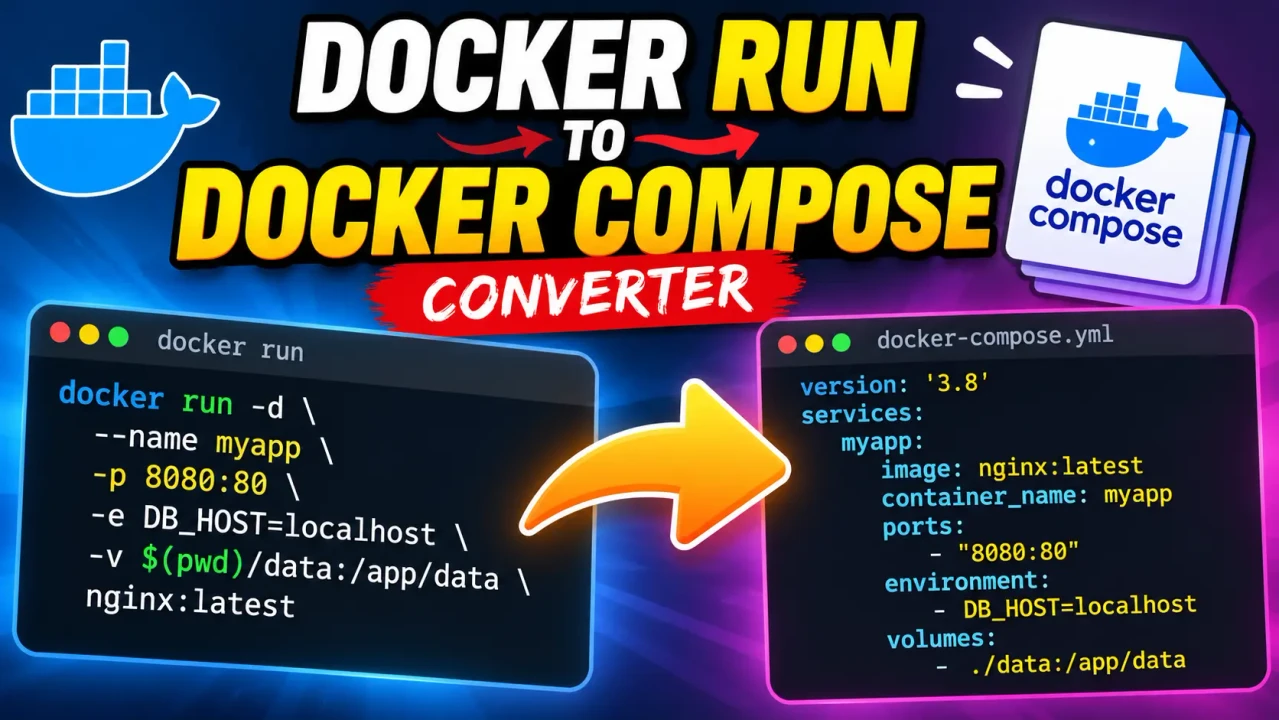
Docker Run To Docker Compose Converter
Quick answer: The Docker Run To Docker Compose Converter transforms a docker run command into a Docker Compose YAML service definition, helping turn a one-container CLI configuration into reusable Compose configuration.
The Docker Run To Docker Compose Converter is a developer utility for translating Docker container startup commands into Compose-style YAML. A typical docker run command places the image and runtime configuration into command-line flags; the equivalent Compose configuration represents those settings as named service properties.
This conversion is useful when a working container command needs to become a maintainable compose.yaml configuration. Instead of manually rewriting every option, the converter provides a structured representation that can be reviewed and adjusted as part of a Compose project.
TL;DR / Key Takeaways
- Primary Function: Convert Docker
runcommands into Compose YAML. - Key Input: A Docker
runcommand containing the container configuration. - Core Output: A Compose service definition representing the supplied command.
- Best Suited For: Developers and DevOps users migrating ad-hoc container commands into Compose configuration.
How to Use Docker Run To Docker Compose Converter?
- Enter the command: Paste the complete
docker runcommand into the converter. - Review the conversion: Check the generated service name, image, command, and runtime settings.
- Inspect mapped options: Verify ports, volumes, environment variables, restart behavior, and other supported options.
- Use the YAML: Copy the resulting Compose configuration into your project and validate it before deployment.
What Should I Enter?
Enter the Docker command beginning with docker run. A representative command is:
docker run -d \
  --name web \
  -p 8080:80 \
  -e APP_ENV=production \
  -v ./site:/usr/share/nginx/html \
  --restart unless-stopped \
  nginx:latest
The command contains several pieces of container configuration: the image is nginx:latest, the container is named web, host port 8080 is mapped to container port 80, an environment variable is supplied, a host directory is mounted, and a restart policy is requested.
Input and Output Example
Input:
docker run -d \
  --name web \
  -p 8080:80 \
  -e APP_ENV=production \
  -v ./site:/usr/share/nginx/html \
  --restart unless-stopped \
  nginx:latest
Representative Compose output:
services:
  web:
    image: nginx:latest
    ports:
      - "8080:80"
    environment:
      APP_ENV: production
    volumes:
      - "./site:/usr/share/nginx/html"
    restart: unless-stopped
The example illustrates the central transformation: the Docker image becomes the service's image, published ports become ports, environment variables become environment, mounts become volumes, and the restart setting becomes restart.
Docker Run to Compose Mapping Reference
| Docker Run Option | Compose Property | Conversion Role |
|---|---|---|
IMAGE |
image |
Defines the container image used by the service. |
--name |
Service name or corresponding naming configuration | Provides an identifiable service/container name depending on the conversion. |
-p / --publish |
ports |
Represents host-to-container port publishing. |
-e / --env |
environment |
Transfers container environment variables. |
-v / --volume |
volumes |
Represents bind mounts or volume mounts. |
-w / --workdir |
working_dir |
Sets the working directory inside the container. |
--restart |
restart |
Represents the service restart policy. |
| Container command and arguments | command |
Represents the command executed by the service. |
How the Conversion Works
A docker run invocation follows a command-line structure: options configure the container, an image identifies what to run, and optional command arguments define what the container executes. Compose instead groups equivalent configuration under a service.
For example, the image portion:
nginx:latestbecomes:
services:
  web:
    image: nginx:latest
A published port such as 8080:80 becomes a Compose port entry. Environment variables move into the service's environment mapping, while volume specifications move into volumes. The resulting YAML can then be incorporated into a larger Compose application.
Command Versus Entrypoint
A command supplied after the Docker image represents the command and arguments requested for that container invocation. Compose provides a command property for overriding the image's default command. Entry-point behavior is a separate concern and should not automatically be treated as an ordinary application command.
Ports and Volumes
Port mappings need to preserve the relationship between the host and container. For example, 127.0.0.1:8080:80 carries host-address information that should not be casually simplified to 8080:80 because that can change where the service is exposed.
Volume specifications likewise require care. A bind mount such as ./site:/app/site describes a host path and a container path; changing either side changes the runtime behavior.
Edge Cases and Limitations
- Incomplete commands: A command without an image cannot produce a complete service definition.
- Shell quoting: Environment values and command arguments containing spaces, quotes, dollar signs, or shell operators require careful YAML representation.
- Repeated options: Options such as multiple environment variables, ports, or mounts need to remain separate Compose entries rather than being collapsed incorrectly.
- Advanced Docker flags: Not every Docker CLI runtime option has a simple one-to-one Compose property. Such options should be reviewed instead of assuming that every flag can be translated identically.
- Host-specific paths: Bind mounts can depend on the machine where the Compose file is executed, so a syntactically valid conversion may still require path adjustments.
- Security-sensitive options: Privileged mode, capabilities, host networking, device mappings, and similar settings deserve manual review before the generated configuration is used.
- Compose project behavior: Converting one
docker runcommand produces a service-oriented configuration; it does not automatically infer application dependencies or create additional services that were not present in the input.
Supported Conversion Concepts
- Container image references
- Published ports
- Environment variables
- Volume and bind-mount declarations
- Working directories
- Restart policies
- Container commands and arguments
What Still Requires Review?
Generated YAML should be treated as a configuration translation rather than an automatic guarantee that every Docker CLI feature has an exact Compose equivalent. Review advanced runtime settings, quoting, filesystem paths, networking, privileges, devices, and other environment-dependent options before running the result.
Technical note: Docker Compose uses a service-oriented YAML model, so the conceptual conversion is from command-line runtime arguments to service configuration rather than a literal rewrite of command-line syntax.
Related Docker Configuration Concepts
After conversion, the resulting Compose file can be extended with additional services, networks, volumes, environment configuration, and other Compose features. This makes the converted service a useful starting point for turning a standalone docker run invocation into a repeatable application configuration.
Technical references: The conversion terminology follows Docker's documented docker run command model and Docker Compose service configuration model.
Author: Michael Carter — DevOps Engineer specializing in containerization and application deployment.
Technical Review: Reviewed from a container-configuration perspective with attention to the distinction between Docker CLI runtime options and Compose service properties, including image, port, environment, volume, command, working-directory, and restart configuration.