
Convert Curl To Fetch Javascript - Free Online Toolhox
Convert cURL commands to JavaScript fetch for browser, Node 20+, or universal runtimes. Map URLs, methods, headers, and request bodies into usable code quickly.
100% private — conversion runs in your browser. Nothing is sent or executed.
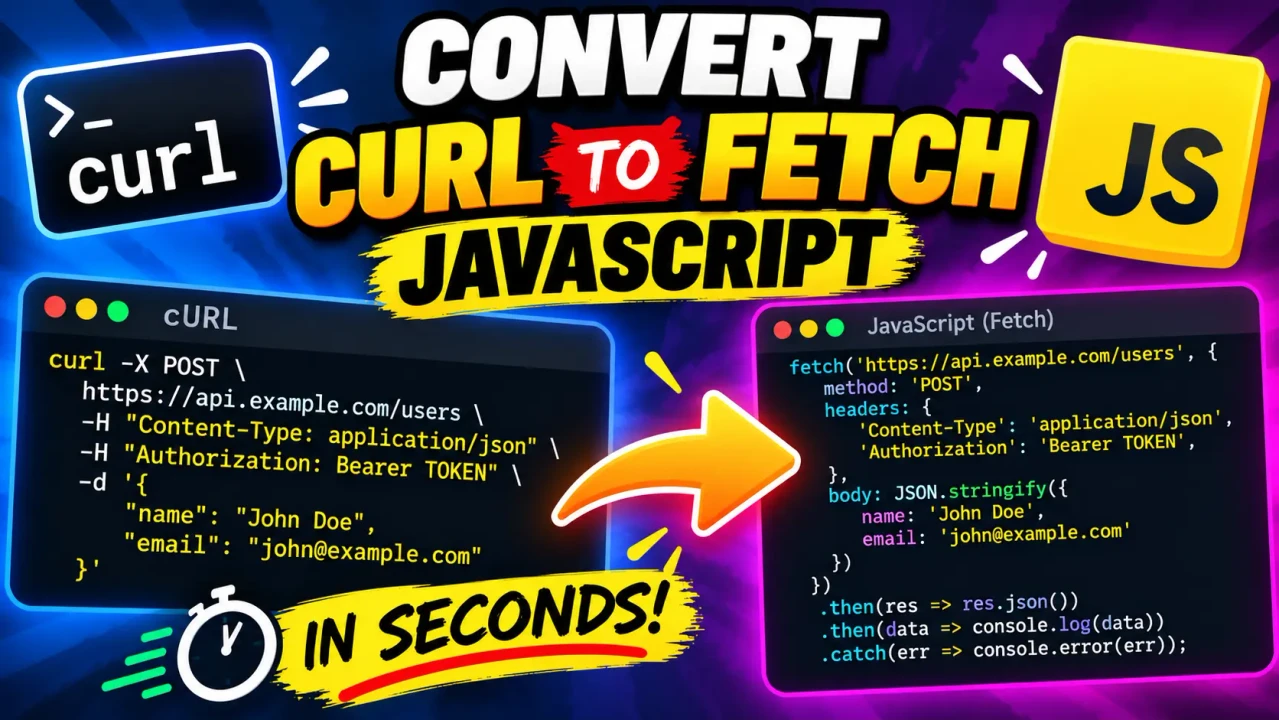
Convert Curl To Fetch JavaScript
Quick answer: Convert Curl To Fetch JavaScript is a developer converter that turns cURL commands into JavaScript or TypeScript Fetch code for browser, Node 20+, and universal runtime workflows.
cURL is widely used to describe HTTP requests in terminals, API documentation, debugging sessions, and browser developer tools. Rewriting those requests manually as fetch() calls can require translating the URL, HTTP method, headers, request body, and authentication details one field at a time. This tool provides a direct conversion workflow so a cURL command can become a Fetch-based JavaScript or TypeScript starting point.
What Does Convert Curl To Fetch JavaScript Do?
The converter reads a cURL request and maps its HTTP request information into Fetch-style code. The core mapping is straightforward: the cURL URL becomes the first argument to fetch(), the request method becomes the method option when needed, HTTP headers become the headers object, and request data becomes the Fetch body.
The generated result is intended to reduce manual transcription when moving an API example from a terminal-oriented cURL representation into application code. ToolHox identifies the utility as supporting JavaScript or TypeScript output for browser, Node 20+, and universal runtime scenarios, with Minimal, Production, and Enterprise output modes.
How to Use Convert Curl To Fetch JavaScript?
- Paste the cURL command. Use a complete cURL request containing the endpoint and any relevant options.
- Choose the output mode. Select the available generation style that fits how you intend to use the resulting code.
- Review the generated Fetch code. Check the URL, method, headers, body, authentication details, and runtime assumptions.
- Copy and adapt the result. Paste the generated JavaScript or TypeScript into the target project and validate it against the API.
What Should I Enter?
Enter a cURL command that represents the HTTP request you want to reproduce. A useful example includes the target URL and, when applicable, an explicit method, request headers, and request data. Commands copied from API documentation or browser developer tools are natural inputs for this workflow.
What Does the Output Contain?
A typical Fetch request uses a URL plus an options object. Fetch supports options such as method, headers, body, mode, and credentials. The Fetch API returns a Promise resolving to a Response object, so application code can subsequently inspect the status or parse the response body.
Input and Output Example
For example, a cURL POST request with a JSON payload can be represented as:
curl 'https://api.example.com/users' \
  -X POST \
  -H 'Content-Type: application/json' \
  -H 'Authorization: Bearer TOKEN' \
  --data-raw '{"name":"Ada","role":"admin"}'
The corresponding Fetch-style JavaScript can be expressed as:
const response = await fetch("https://api.example.com/users", {
  method: "POST",
  headers: {
    "Content-Type": "application/json",
    "Authorization": "Bearer TOKEN"
  },
  body: JSON.stringify({
    name: "Ada",
    role: "admin"
  })
});

if (!response.ok) {
  throw new Error(`HTTP ${response.status}`);
}

const data = await response.json();
This example illustrates the important transformation rather than claiming that every possible cURL option has a one-to-one browser equivalent.
cURL to Fetch Mapping Reference
| cURL Element | Fetch Representation | Purpose |
|---|---|---|
| URL | fetch("URL", ...) |
Identifies the resource being requested. |
-X / --request |
method |
Specifies the HTTP request method. |
-H / --header |
headers |
Supplies request header names and values. |
-d / --data |
body |
Provides request payload data. |
| JSON request data | JSON.stringify(...) |
Serializes a JavaScript value into a JSON request body. |
| Query parameters | URL query string | Sends parameters as part of the requested URL. |
| Authentication headers | Request headers or Fetch credential options | Carries authentication information subject to browser/runtime rules. |
How the Conversion Works
The conversion is fundamentally a request-structure translation. cURL describes an HTTP request through command-line options, while Fetch represents the request through a URL and a JavaScript options object. A converter therefore needs to recognize request components and express them using Fetch-compatible syntax.
Headers require particular care in browser JavaScript. Browsers control certain request headers, and Fetch does not provide unrestricted programmatic control over every HTTP header. Headers such as Host, Content-Length, Cookie, and several browser-controlled or security-sensitive headers cannot simply be reproduced as ordinary JavaScript headers in a browser context.
Cross-origin behavior is another important difference between terminal cURL and browser Fetch. Browser Fetch requests are subject to the same-origin policy and CORS. If an API is hosted on another origin, the server must provide appropriate CORS response headers for browser JavaScript to access the response. Converting the syntax does not remove those browser security rules.
For additional implementation details, consult the MDN Fetch API documentation and the official cURL documentation.
Technical Edge Cases and Limitations
- Browser-controlled headers: Some headers present in a cURL command cannot be manually reproduced by browser Fetch because the user agent controls them.
- CORS: A cURL request that succeeds from a terminal can still fail when the generated Fetch code runs in a browser if the destination does not permit the requesting origin.
- Authentication: Authorization values can be represented as headers, but credential handling differs between browser and server-side environments.
- Request bodies: JSON, form data, text, and other payload representations may need different JavaScript body encodings.
- Runtime differences: Browser Fetch and server-side Fetch do not expose exactly the same surrounding capabilities, especially for cookies, filesystem access, proxy configuration, and browser-controlled headers.
- Response handling: Fetch resolves its promise when a response is received, including HTTP error statuses. Application code should inspect
response.okorresponse.statuswhen HTTP errors must be handled explicitly.
Technical note: Generated Fetch code should be reviewed before production use. A syntactically valid conversion can still require runtime-specific changes, API-specific authentication handling, CORS configuration, or response-error handling.
Related Developer Workflows
This converter is particularly useful when an API request starts as cURL and the next implementation step is JavaScript or TypeScript. Common sources include API documentation, command-line examples, and browser developer tools. The generated Fetch code should be treated as an implementation starting point and checked against the API's current requirements.
Author: Daniel Mercer, Senior JavaScript Engineer and web-platform specialist.
Technical Review: Reviewed from a Fetch API and HTTP-request mapping perspective, with attention to URL, method, headers, request bodies, browser-controlled headers, CORS, credentials, and HTTP response handling.